Attribute History: The Basics
Attribute History is a Katapult Pro functionality that records changes to the attributes on nodes, connections, and sections. This now includes changes such as moving nodes and sections, as well as recording the deletion of nodes. This data is found under the job's metadata and the node info. Enabled at the company level, it works on any job model; when the functionality is activated, it's automatically turned on for any new jobs that you create, regardless of its job model. As far as the settings go, any duplicated job will adhere to the same settings as the original job. (There is an option to disable attribute history in the duplicated job if you'd like.)

The "Attribute History" tab can be found under the job metadata, which will show the latest updates to the job attributes (at the job level).

Clicking on a node to open the node info panel will also show you the "Attribute History," but specifically for the attributes on that node.

The location history of a node isn't kept in this attribute history timeline, but rather in the coordinates dropdown. This little carrot arrow next to the node's latitude and longitude, when clicked, will open the location history. The locations are ordered from current to most recent to the first location recorded.

If there is a target icon to the left of a location, this is indicating that this location was set during field survey. Click the clock icon to the right of old coordinates to restore this location to this node.
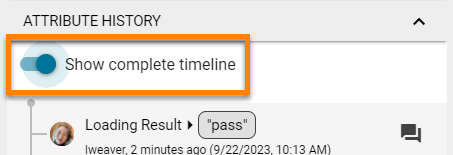
The "Show complete timeline" option in the Attribute History section, whether in the Job Settings panel or the Info Panel for nodes, connections, or sections, will allow you to see all the changes, not just the latest changes.

Export Attribute History Data into a spreadsheet from the Download Manager to see changes made within the timeframe you specify.
So what doesn’t Attribute History record? It doesn’t record who deleted jobs, sections, or connections. It doesn’t record updates via the API or photo markers.